Description
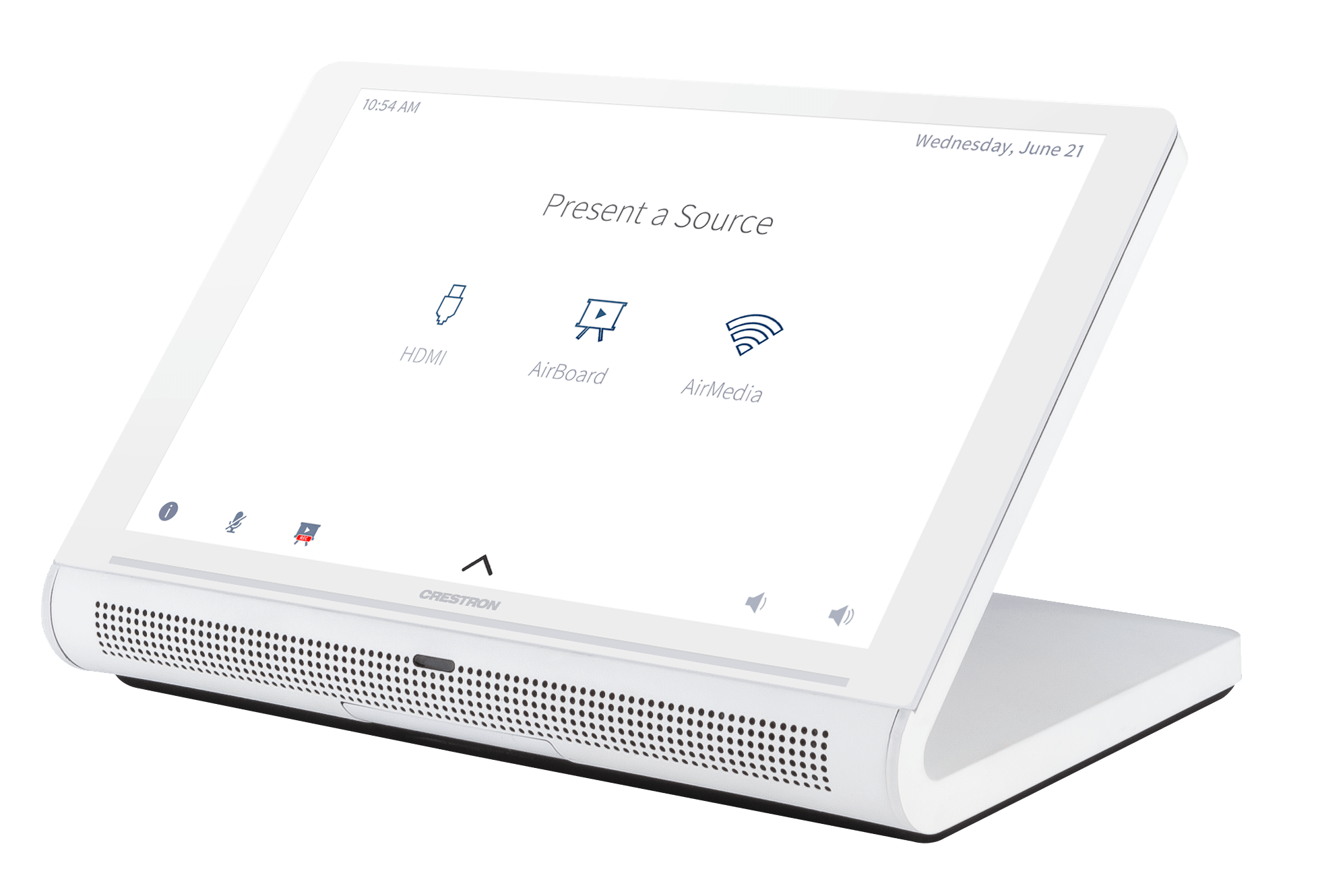
Crestron® TS‑770 系列是一款時尚且多功能的桌上型觸控螢幕,非常適合住宅與企業應用。TS‑770 配備 7 英吋(178 公釐)電容式觸控螢幕,具備可自訂程式化的控制按鈕,並支援 Smart Graphics® 軟體與基於 HTML5 的自訂使用者介面專案。PoE 與 Wi‑Fi® 網路連線能力以及現代化的桌上型設計,讓這款觸控螢幕幾乎可部署在任何地方。
先進的觸控螢幕控制
TS‑770 提供時尚且強大的使用者介面,用於控制家庭、董事會議室、教室或指揮中心的各項技術。這款觸控螢幕提供直觀的介面,可透過易於使用的電容式控制、真實反饋與即時狀態顯示進行完整自訂。內建的接近感測器無需任何使用者操作即可喚醒螢幕,而自動亮度控制可確保在不同照明條件下都能達到最佳可視性。
可自訂程式化的虛擬按鈕
TS‑770 提供一個通用狀態列,其中包含用於快速存取常用觸控螢幕功能的虛擬按鈕。觸控螢幕出廠時已預先配置電源、首頁、燈光、上、下與麥克風等虛擬按鈕。每個按鈕均可透過 Crestron 控制系統進行程式化以提供自訂功能,未使用的按鈕則可個別隱藏。通用狀態列可透過在觸控螢幕上使用簡單的滑動手勢來展開或隱藏。
動態使用者介面
TS‑770 支援使用 Crestron HTML5 User Interface 與 Smart Graphics 技術建立的自訂使用者介面,為使用者介面開發人員和程式設計師提供更大的靈活性。
- Crestron HTML5 User Interface 使使用者介面設計人員能夠使用現代網頁方法,開發具有更高可重用性與效率的豐富前端使用者介面。提供 Crestron HTML5 User Interface 開發工具,可簡化基於標準網頁技術建立使用者介面的流程。
- Smart Graphics 使程式設計師能夠將流暢的手勢驅動控制、動畫反饋、豐富的中繼資料、嵌入式應用程式與小工具以及全動態視訊整合到其使用者介面中。Smart Graphics 提供動態功能,例如圖形化按鈕與滑桿、列表與工具列、拖放物件、儀表板小工具、螢幕保護程式以及可自訂的主題。
語音辨識
憑藉內建的語音辨識功能,可對 TS‑770 發出語音指令,以快速開啟或關閉設備、選擇並播放特定的媒體來源、切換頻道、選擇燈光場景、放下窗簾、鎖門、啟動保全系統或輸入密碼。只需說出指令,Crestron 即可完成後續操作。
串流視訊
原生支援 H.265、H.264 與 MJPEG 格式,使 TS‑770 能夠顯示來自 IP 攝影機、串流編碼器(Crestron DM‑TXRX‑100‑STR 或類似設備)或 DigitalMedia™ 切換器的即時串流視訊。視訊透過乙太網路傳輸至觸控螢幕,無需任何額外的視訊佈線。
Rava SIP 對講系統
Rava SIP 對講技術可與其他支援 Rava 的觸控螢幕和門口機進行免手持 VoIP 通訊。Rava 可透過乙太網路運作,支援雙向對講與廣播,無需任何特殊佈線。透過與相容 SIP 的 IP 電話系統或 SIP 伺服器整合,還可實現 VoIP 電話功能,提供包含快速撥號、來電顯示、自訂鈴聲及其他增強功能的免手持電話功能。內建迴音消除技術可提供全雙工效能,透過整合式麥克風與揚聲器實現清晰、流暢的語音通訊。
Sonos 應用程式
Sonos 與 Crestron 合作提供強大的全屋音樂體驗。從家中任何觸控螢幕上,可使用 Sonos 提供的所有服務瀏覽曲目、藝術家或播放清單,並立即透過 Sonos® 無線揚聲器或 Crestron Sonnex® 多房間音訊系統在任何房間播放。Sonos 應用程式原生運行於 TS‑770 上,可作為完整 Crestron 系統的一部分,增強對 Sonos 產品的控制。該應用程式會每晚檢查更新,以確保始終保持最新版本,並支援 Sonos S2 應用程式。
Crestron 會議室排程應用程式
作為完整企業會議室排程解決方案的一部分,TS‑770 可透過 Crestron 會議室排程應用程式部署為排程面板。Crestron 排程面板可安裝在會議室入口處,顯示該會議室的可用性以及當日的行程表。如有需要,可立即預訂該會議室用於臨時會議。CEN‑ODT‑C‑POE 佔用感測器也可與觸控螢幕配對,將佔用狀態即時回報給排程應用程式,以處理未到場及未排程的會議室使用情況。
執行 Crestron 排程應用程式時,TS‑770 可直接與 Crestron Fusion® 軟體、Microsoft Exchange Server® 軟體(適用於 Outlook® 軟體與 Office 365® 軟體使用者)、Google Calendar™ 行事曆應用程式(包含 G Suite™ 軟體)、CollegeNET® 25Live® 排程軟體或 Ad Astra™ 軟體整合。IBM® Notes® 軟體也可透過 Crestron Fusion 本地伺服器獲得支援。
第三方排程應用程式
TS‑770 還支援多種第三方排程應用程式。新的供應商可透過韌體更新獲得。無論您選擇哪家供應商,設定方式都非常簡單:將觸控螢幕連接到網路,然後從基於網頁的設定選單或內建設定畫面中選擇一個應用程式即可。所選的應用程式會從雲端下載並安裝到觸控螢幕上,無需任何編程或控制系統。
Zoom Rooms 應用程式
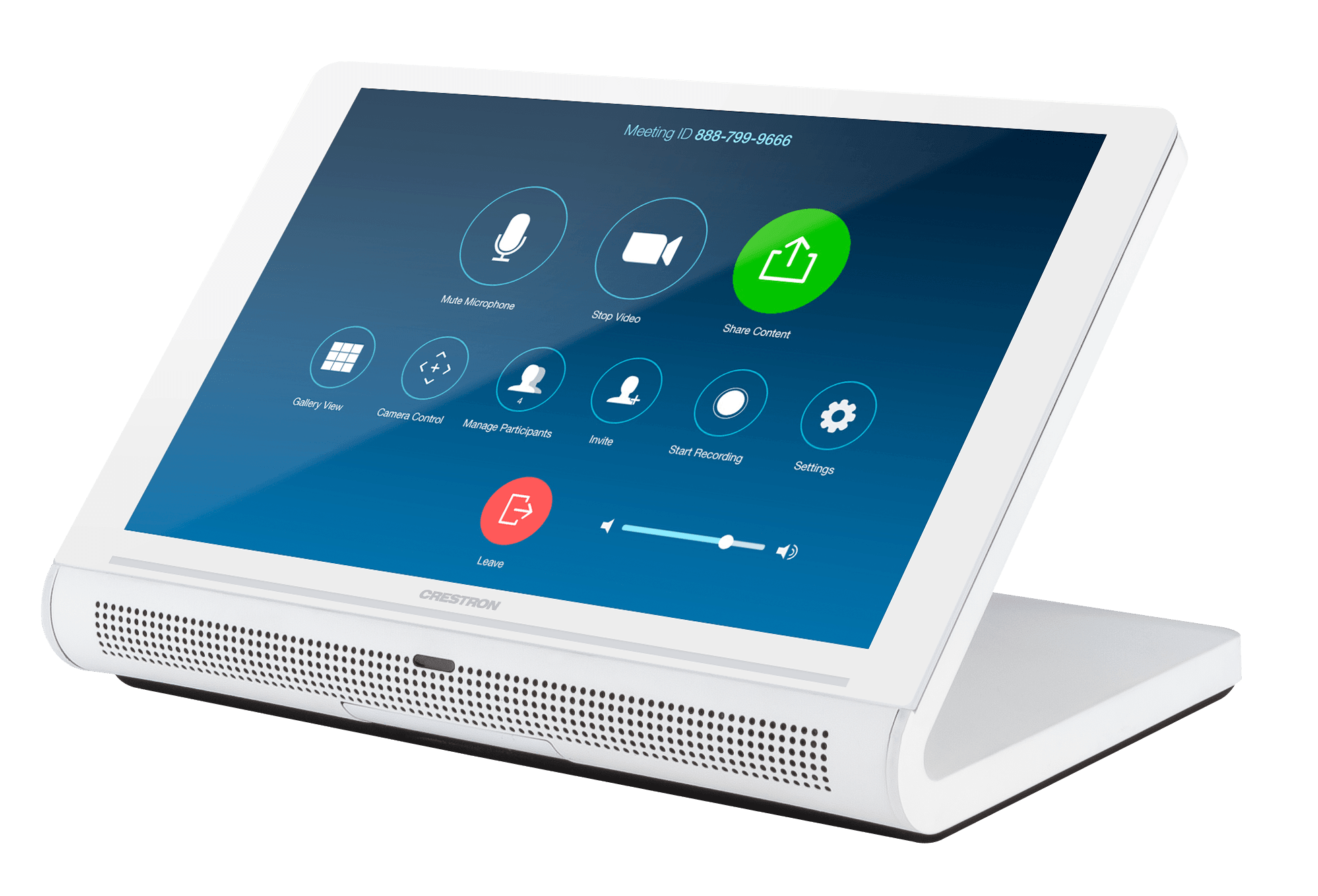
Zoom Rooms™ 會議控制應用程式使 TS‑770 能夠用作 Zoom Rooms 基於軟體的會議與協作解決方案的觸控螢幕控制面板。TS‑770 提供了優於消費型平板設備的選擇,提供更可靠、更安全的平台。TS‑770 可配置為僅執行 Zoom Rooms 應用程式,或允許在 Zoom Rooms 應用程式與觸控螢幕控制模式之間切換。後者選項用於將 Zoom Rooms 會議整合到更大的影音系統中,同時為兩者提供觸控螢幕控制。
注意:Zoom 超音波近距離訊號的支援範圍為從 TS‑770 觸控螢幕到終端使用者設備平均最遠 9 英呎(2.74 公尺)。實際範圍會因環境噪音、終端使用者設備的靈敏度以及與觸控螢幕的相對方向而異。
Crestron Home OS 控制
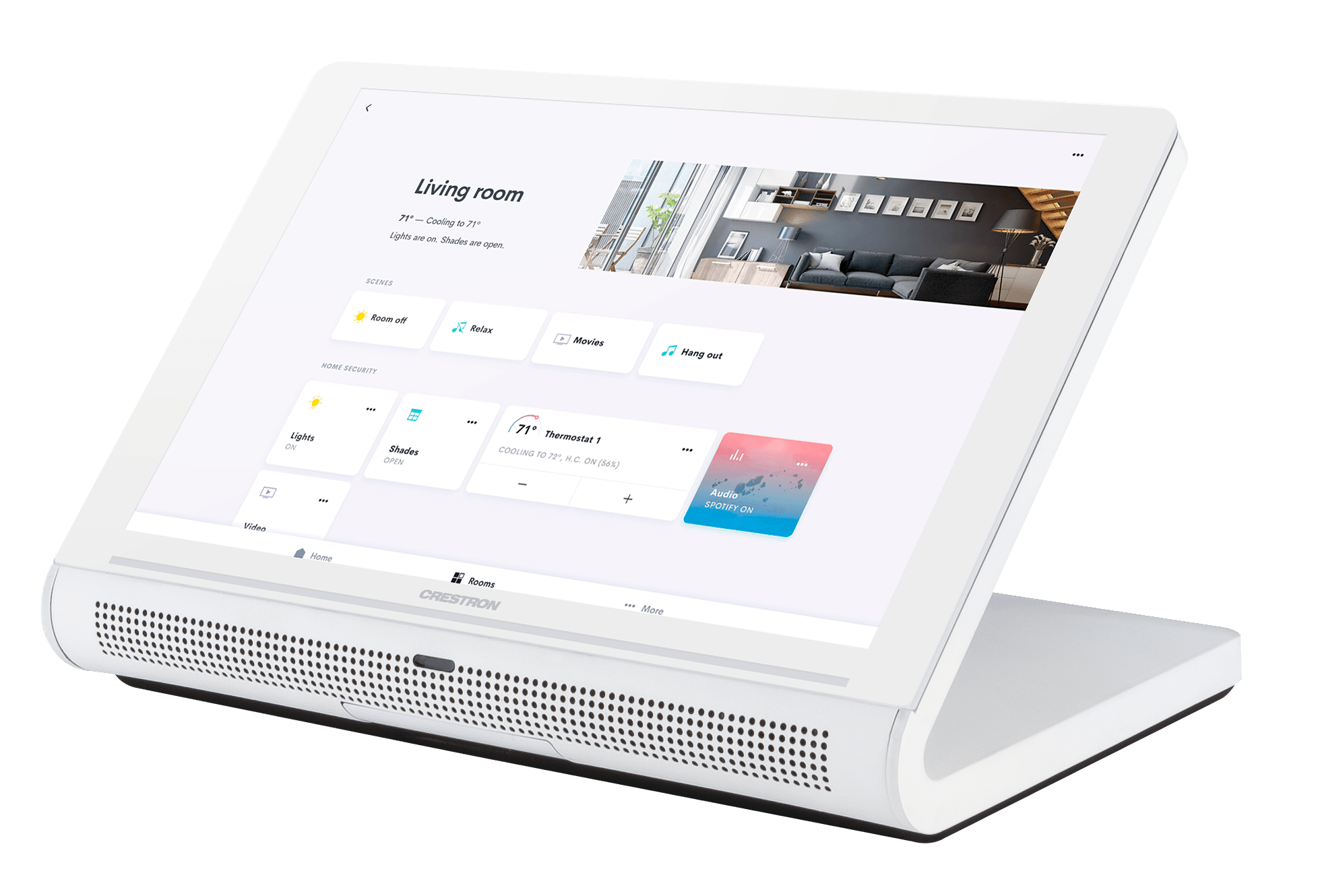
TS‑770 可用於控制 Crestron Home® OS 全屋解決方案。從觸控螢幕上選擇 Crestron Home 應用程式,即可控制燈光、窗簾、空調、媒體、保全與攝影機,並能夠建立與呼叫場景,在整個家中營造所需的氛圍。每個房間都可安裝一台 TS‑770,以便輕鬆存取該房間及整個家庭的各種 Crestron Home 功能。
藍牙信標
內建的 Bluetooth® 近距離偵測信標使智慧型手機或平板設備能夠隨時知道自己在哪個房間,從而增強 Crestron 系統的智慧化與個人化能力。它與 Crestron Go App 和 Crestron App 協同運作,判斷行動裝置何時處於信標所在房間內或附近,並通知行動應用程式自動顯示該房間的適當控制項與資訊。
網頁瀏覽
使用其內建的網頁瀏覽器,TS‑770 可存取線上節目指南及其他基於網頁的服務,並可用於控制 DVR 和其他設備,而無需拿起另外的平板或智慧型手機。
有線與 Wi-Fi 連線
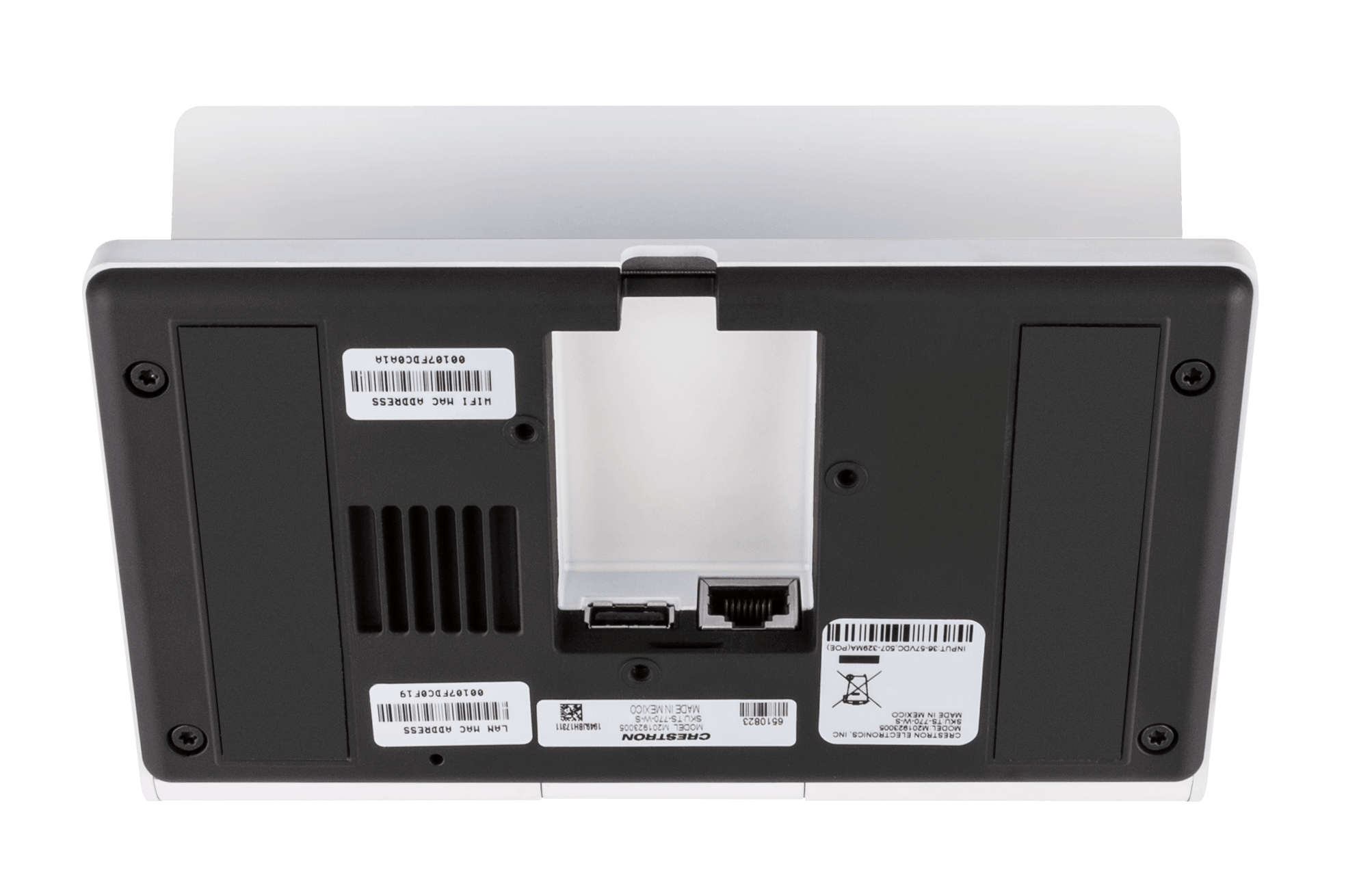
佈線 TS‑770 只需一條乙太網路 LAN 連接線,即可將所有控制、視訊、對講與電源訊號整合於單一線纜中。
對於無法使用乙太網路的部署情況,觸控螢幕也可透過本地無線存取點 (WAP) 經由 Wi‑Fi 通訊連接到網路。
乙太網路供電
TS‑770 使用 PoE 技術,直接透過網路線獲得工作電源。PoE(乙太網路供電)無需本地電源供應器或任何專用的電源佈線。Crestron PoE 交換器(CEN‑SW‑POE‑5 或 CEN‑SWPOE‑163)提供完整的網路解決方案,內建 PoE 可支援多台觸控螢幕。另可選購 PoE 供電器(PWE‑4803RU3)以支援單台觸控螢幕。
注意:更多詳細資訊請參閱「電源」規格。
高速 USB 連接埠
TS‑770 提供一個高速 USB 2.0 連接埠,用於將支援的 Crestron 配件連接到觸控螢幕。
企業級安全性
Crestron 觸控螢幕採用企業級網路,具備強大的安全功能,如 802.1X 驗證、TLS 加密、HTTPS 連線以及 Active Directory® 服務整合。這些功能對於保護您的網路免受服務中斷與惡意入侵,並確保符合組織的網路政策至關重要。基於雲端的部署與管理簡化了網路上每台觸控螢幕的設定、監控與更新流程。對 SNMP 的額外支援使 IT 管理員能夠監控觸控螢幕。
XiO Cloud 服務
TS‑770 相容於 XiO Cloud® 服務,這是一個基於物聯網 (IoT) 的平台,用於在整個企業或客戶群中遠端部署、監控與管理 Crestron 設備。XiO Cloud 建構於 Microsoft® Azure® 軟體平台上,並採用微軟業界領先的 Azure IoT Hub 技術,使安裝人員與 IT 管理員能夠在以往管理單一設備的時間內,部署與管理數千台設備。與其他基於虛擬機器的雲端解決方案不同,Azure 服務提供無限的可擴展性,以滿足企業不斷增長的需求。更多資訊請造訪 www.crestron.com/xiocloud。
Crestron ONE App 支援
TS‑770 相容於 Crestron ONE™ 行動會議室控制應用程式。Crestron One 應用程式在行動裝置與房間內的 TS‑770 之間透過藍牙通訊建立點對點網路,使觸控螢幕能夠將針對行動裝置優化的會議室控制項推送到該設備。程式設計師可透過將 Smart Graphics 專案中的連接觸發對應到行動專案,來指定顯示在行動應用程式上的控制項。啟用行動會議室控制功能需要 SW‑MOBILITY 授權。
選用安裝配件
TS-770/1070-SMK 可將觸控螢幕永久安裝於桌面上,並允許高達 330 度的旋轉範圍。
主要特點
- 下一代 Crestron® 桌上型觸控螢幕
- 7 英吋(178 公釐)寬螢幕主動矩陣彩色顯示器,1280 x 800 WXGA 顯示解析度
- 電容式觸控螢幕顯示器
- 可自訂程式化的虛擬控制按鈕
- 支援 Crestron HTML5 與 Smart Graphics® 軟體自訂使用者專案
- 內建 Rava® SIP 對講系統
- 內建揚聲器與麥克風
- H.265、H.264 或 MJPEG 串流視訊顯示
- 原生支援 Crestron Home® OS、Sonos® 家庭音響控制、Zoom Rooms™ 會議控制及各類會議室排程服務的應用程式
- 內建 Bluetooth® 通訊信標
- 內建網頁瀏覽
- 單線乙太網路連接,具備 PoE 或 PoE+ 供電
- Wi‑Fi® 網路連線能力
- USB 2.0 連接埠,用於會議室可用性配件
- 企業級安全性與驗證
- 可透過網頁、雲端或設備本體進行配置
The Crestron® TS‑770 series is a stylish and versatile tabletop touch screen that is ideal for residential and enterprise applications. The TS‑770 features a 7 in. (178 mm) capacitive touch screen display with custom‑programmable control buttons and support for Smart Graphics® software and HTML5‑based custom UI projects. PoE and Wi‑Fi® network connectivity and a modern tabletop design allow the touch screen to be deployed just about anywhere.
Advanced Touch Screen Control
The TS‑770 offers a sleek and powerful user interface for controlling technology in a home, boardroom, classroom, or command center. The touch screen provides an intuitive interface that is fully customizable with easy-to-use capacitive controls, true feedback, and real-time status display. A built-in proximity sensor wakes the screen without requiring any user interaction, and automatic brightness controls ensure optimal visibility under varying lighting conditions.
Custom-Programmable Virtual Buttons
The TS‑770 provides a universal status bar that is populated with virtual buttons for quick access to common touch screen functions. The touch screen comes preconfigured with virtual buttons for Power, Home, Lights, Up, Down, and Microphone. Each button can be programmed via a Crestron control system to provide custom functionality, and unused buttons can be hidden individually. The universal status bar is expanded or hidden using simple swipe gestures on touch screen display.
Dynamic User Interfaces
The TS‑770 supports custom user interfaces created with Crestron HTML5 User Interface and Smart Graphics technologies, allowing greater flexibility for UI developers and programmers.
- Crestron HTML5 User Interface enables UI designers to develop rich, front-end user interfaces with increased reusability and efficiency using modern web methodologies. Crestron HTML5 User Interface development tools are provided to simplify creating user interfaces built on standard web technologies.
- Smart Graphics enables programmers to integrate fluid gesture‑driven controls, animated feedback, rich metadata, embedded apps and widgets, and full-motion video into their user interfaces. Smart Graphics provides dynamic features such as graphical buttons and sliders, lists and toolbars, drag-and-drop objects, dashboard widgets, screensavers, and customizable themes.
Voice Recognition
With built‑in voice recognition, spoken commands can be issued to the TS‑770 to quickly turn devices on or off, select and play a specific media source, change the channel, choose a lighting scene, lower the window shades, lock the doors, arm the security system, or enter a password. Simply say a command and Crestron does the rest.1,2
Streaming Video
Native support for H.265, H.264, and MJPEG formats allows the TS‑770 to display live streaming video from an IP camera, a streaming encoder (Crestron DM‑TXRX‑100‑STR, or similar), or a DigitalMedia™ switcher.3 Video is delivered to the touch screen over Ethernet, eliminating the need for any extra video wiring.
Rava SIP Intercom
Rava SIP Intercom Technology enables hands‑free VoIP communication with other Rava‑enabled touch screens and door stations. Rava works over Ethernet, supporting 2-way intercom and paging without requiring any special wiring. VoIP phone capability is also possible through integration with a SIP‑compatible IP phone system or SIP server, allowing hands‑free telephone functionality complete with speed-dialing, caller ID, custom ringers, and other enhancements. Built‑in echo cancellation affords full‑duplex performance for clear, seamless voice communication using the integrated microphone and speakers.2
Sonos App
Sonos and Crestron have partnered to provide a powerful whole-house music experience. From any touch screen in the house, browse for tracks, artists, or playlists using all the services available from Sonos and instantly play them in any room using Sonos® wireless speakers or a Crestron Sonnex® multiroom audio system. The Sonos app runs natively on the TS‑770, enabling enhanced control of Sonos products as part of a complete Crestron system. The app checks for updates nightly so it’s always current, and support for the Sonos S2 App is provided.1
Crestron Room Scheduling App
As part of a complete enterprise room scheduling solution, the TS‑770 can be deployed as a scheduling panel via the Crestron room scheduling app. A Crestron scheduling panel can be installed at the entrance of a meeting room to provide indication of the room’s availability and a view of its schedule for the day. If desired, the room can be reserved on the spot for an ad hoc meeting. A CEN‑ODT‑C‑POE occupancy sensor can also be paired to the touch screen, allowing for occupancy status to be reported instantly to the scheduling app for no‑shows and unscheduled room usage.3,4
Running the Crestron Scheduling App, the TS‑770 integrates directly with Crestron Fusion® software, Microsoft Exchange Server® software (for users of Outlook® software and Office 365® software), the Google Calendar™ calendaring app (including G Suite™ software), CollegeNET® 25Live® scheduling software, or Ad Astra™ software. IBM® Notes® software is also supported through a Crestron Fusion on‑premises server.
Third-Party Scheduling Apps
The TS‑770 also includes support various third-party scheduling applications. New providers are made available via firmware updates. Whatever provider you choose, setup is as simple as connecting the touch screen to the network and choosing an app from the web-based setup menu or built-in setup screens. The selected app downloads from the cloud and installs on the touch screen without any programming or control system required.5,6
Zoom Rooms App
The Zoom Rooms™ conferencing control application enables the TS‑770 to be used as a touch screen control panel for a Zoom Rooms software-based conferencing and collaboration solution. The TS‑770 offers a superior alternative to a consumer tablet device, providing a more reliable and secure platform. The TS‑770 may be configured to run the Zoom Rooms app exclusively, or to allow toggling between the Zoom Rooms app and touch screen control mode. The latter option is used to integrate Zoom Rooms conferencing into a larger AV system while providing touch screen control for both.7
NOTE: The Zoom ultrasonic proximity signal is supported up to an average of 9 ft (2.74 m) from theTS‑770 touch screen to an end user device. The range will vary based on environmental noise, the sensitivity of the end user device, and the orientation to the touch screen.
Crestron Home OS Control
The TS‑770 may be used to control a Crestron Home® OS whole home solution. Select the Crestron Home app from the touch screen to control lighting, shades, climate, media, security, and cameras, including the ability to create and recall scenes that create a desired ambiance throughout a home. A TS‑770 may be installed in each room to provide easy access to various Crestron Home functions for both the room and the home.
Bluetooth Beacon
The built‑in Bluetooth® proximity detection beacon enhances the intelligence and personalization of a Crestron system by enabling a smartphone or tablet device to always know what room it is in. It works with the Crestron Go App and Crestron App to determine when the mobile device is in or near the same room as the beacon, and signals the mobile app to automatically display the appropriate controls and information for the room.2,8
Web Browsing
Using its built‑in web browser, the TS‑770 provides access to online program guides and other web-based services, and it can be used to control DVRs and other devices without having to pick up a separate tablet or smartphone.1
Wired and Wi-Fi Connectivity
An Ethernet LAN connection is all that is required to wire the TS‑770, containing all control, video, intercom, and power signals within a single wire.
For deployments without access to Ethernet, the touch screen can also be connected the network over Wi‑Fi communications via a local wireless access point (WAP).
Power over Ethernet
Using PoE technology, the TS‑770 gets its operating power directly through the network cable. PoE (Power over Ethernet) eliminates the need for a local power supply or any dedicated power wiring. Crestron PoE switches (CEN‑SW‑POE‑5 or CEN‑SWPOE‑163) offer a total networking solution with built‑in PoE for multiple touch screens. A PoE Injector (PWE‑4803RU3) is also available to support a single touch screen.
NOTE: Refer to the “Power” specifications for more details.
High-Speed USB Port
The TS‑770 provides a high-speed USB 2.0 port for connecting supported Crestron accessories to the touch screen.3
Enterprise-Grade Security
Crestron touch screens employ enterprise-grade networking with robust security features such as 802.1X authentication, TLS encryption, HTTPS connectivity, and Active Directory® service integration. These features are imperative to protect your network against service interruptions and malicious intrusions, and to ensure compliance with your organization’s network policies. Cloud‑based provisioning and management streamlines the process of configuring, monitoring, and updating every touch screen on the network. Additional support for SNMP allows the touch screen to be monitored by your IT administrator.
XiO Cloud Service
The TS‑770 is compatible with the XiO Cloud® service, which is an IoT (Internet of Things) based platform for remotely provisioning, monitoring, and managing Crestron devices across an enterprise or an entire client base. Built on the Microsoft® Azure® software platform and utilizing Microsoft’s industry‑leading Azure IoT Hub technology, XiO Cloud enables installers and IT managers to deploy and manage thousands of devices in the time it previously took to manage just one. Unlike other virtual machine‑based cloud solutions, Azure services provide unlimited scalability to suit the ever‑growing needs of an enterprise. For more information, visit www.crestron.com/xiocloud.
Crestron ONE App Support
The TS‑770 is compatible with the Crestron ONE™ mobile room control app. The Crestron One app creates a peer‑to‑peer network over Bluetooth communications between a mobile device and the TS‑770 in the room, allowing mobile‑optimized room controls to be pushed to the device from the touch screen. Programmers can specify the controls that display on the mobile app by mapping joins from Smart Graphics projects to the mobile project. A SW‑MOBILITY license is required to enable mobile room control functionality.
Optional Mounting Accessories
The TS-770/1070-SMK allows the touch screen to be mounted permanently to a tabletop and permits up to 330 degree swivel rotation.
Key Features
- Next generation Crestron® tabletop touch screen
- 7 in. (178 mm) widescreen active-matrix color display and 1280 x 800 WXGA display resolution
- Capacitive touch screen display
- Custom-programmable virtual control buttons
- Supports Crestron HTML5 and Smart Graphics® software custom user projects
- Built-in Rava® SIP intercom
- Built-in speakers and microphone
- H.265, H.264, or MJPEG streaming video display
- Native apps for Crestron Home® OS, Sonos® home sound control, Zoom Rooms™ conferencing control, and various room scheduling services
- Built-in Bluetooth® communications beacon
- Built-in web browsing
- Single wire Ethernet connection with PoE or PoE+ power
- Wi‑Fi® network connectivity
- USB 2.0 port for room availability accessories
- Enterprise grade security and authentication
- Web, cloud, or device-based configuration